
Windows 11 Pro Emerges as Critical Upgrade for Enhanced Business Productivity and Cybersecurity Amid Evolving Digital Landscape

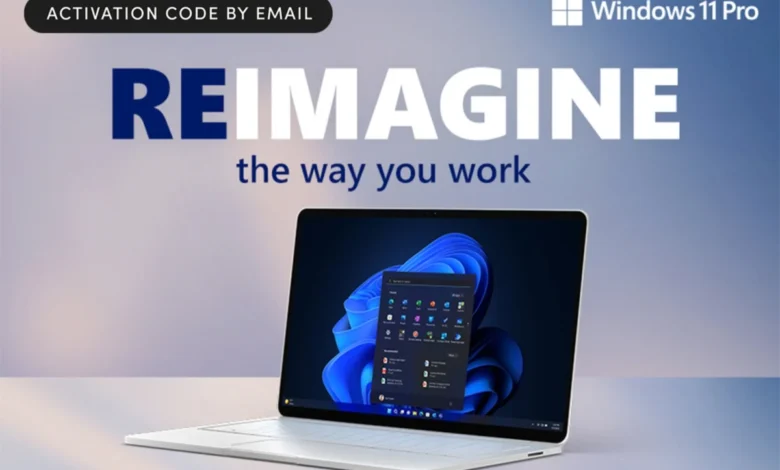
The foundational role of an operating system (OS) in dictating an organization’s productivity, security posture, and technological agility has become increasingly pronounced in the contemporary digital environment. For professionals and businesses alike, an outdated OS can represent a significant vulnerability, leading to diminished security, performance bottlenecks, and a lack of access to crucial modern tools. In this context, Microsoft Windows 11 Pro has positioned itself as a pivotal upgrade, offering a suite of advanced multitasking functionalities, bolstered security measures, and integrated artificial intelligence (AI) capabilities designed to meet the demands of the modern workplace. Currently available at a promotional price of $12.97, a substantial reduction from its Manufacturer’s Suggested Retail Price (MSRP) of $199, this offering underscores a strategic move to accelerate enterprise adoption of the latest Windows iteration.
The Evolving Landscape of Operating Systems and the Business Imperative
Operating systems have long served as the bedrock of computing, evolving from rudimentary command-line interfaces to sophisticated graphical environments. Microsoft’s Windows, in particular, has dominated the desktop OS market for decades, with each iteration bringing advancements aimed at improving user experience, performance, and security. From the ubiquity of Windows XP to the enterprise-grade stability of Windows 7, and the universal appeal of Windows 10, the trajectory has consistently pointed towards greater integration, smarter tools, and more robust protection against an ever-growing array of digital threats.
The transition to Windows 11 Pro is not merely an aesthetic refresh but a strategic imperative for businesses grappling with complex challenges. According to recent industry reports, the average cost of a data breach continues to climb, with figures from IBM and the Ponemon Institute indicating global averages exceeding $4 million per incident. These costs are exacerbated by downtime, reputational damage, and regulatory fines. Furthermore, the shift towards hybrid work models, accelerated by global events, has necessitated more flexible, secure, and collaborative digital tools. An outdated OS often lacks the inherent architectural defenses and performance optimizations required to navigate this new paradigm effectively, leaving organizations exposed and employees constrained.
Windows 11 Pro: A Comprehensive Overview of Core Enhancements
Designed explicitly with the modern professional and organizational needs in mind, Windows 11 Pro integrates user-centric design with cutting-edge technological advancements. Its features address a wide spectrum of daily operational requirements, from streamlining workflows to fortifying digital defenses.
Sophisticated User Interface and Productivity Enhancements
One of the most immediate and impactful changes in Windows 11 Pro is its redesigned user interface. Featuring a clean, modern aesthetic with a centered Start menu and rounded corners, the interface aims to provide a more intuitive and less cluttered user experience. This visual overhaul is not merely cosmetic; it is engineered to enhance user focus and reduce cognitive load, allowing for quicker navigation and access to applications and tools.
Central to its productivity suite are advanced multitasking features, most notably "Snap Layouts" and "Snap Groups." These functionalities allow users to efficiently arrange multiple windows on their screen in predefined layouts, facilitating seamless transitions between tasks. For professionals juggling numerous projects, research materials, and communication platforms, this capability significantly improves efficiency and reduces the time spent manually resizing and organizing windows. Analysts suggest that optimized screen real estate management can lead to a measurable increase in task completion rates and overall job satisfaction, by reducing digital fatigue and enhancing workflow fluidity. Furthermore, the integration of Desktops allows for the creation of separate virtual workspaces, enabling users to categorize tasks and projects, further refining organizational capabilities. This structured approach to digital workspace management is particularly beneficial in complex roles requiring constant context switching.
Robust Security Architecture for the Modern Threat Landscape
In an era defined by escalating cyber threats, the security features of an operating system are paramount. Windows 11 Pro delivers a comprehensive suite of robust security measures designed to safeguard sensitive information and maintain data integrity. These include:
- Trusted Platform Module (TPM) 2.0: A hardware-based security component, TPM 2.0 provides cryptographic capabilities and protects against firmware and hardware tampering. It plays a critical role in securing the boot process, ensuring that the system starts in a trusted state, free from malicious modifications. The requirement for TPM 2.0 on Windows 11 devices elevates the baseline security standard, creating a more resilient ecosystem against sophisticated attacks.
- Smart App Control: This feature utilizes AI to block untrusted or potentially malicious applications from running on the system. By leveraging cloud-based intelligence and Microsoft’s extensive threat database, Smart App Control provides real-time protection against zero-day exploits and emerging threats, significantly reducing the attack surface.
- BitLocker Drive Encryption: A cornerstone of Windows security for enterprises, BitLocker allows users to encrypt entire drives, protecting data even if a device is lost or stolen. This feature is particularly vital for mobile professionals and organizations handling confidential information, ensuring compliance with data protection regulations such as GDPR and HIPAA. The ability to encrypt both operating system drives and fixed data drives provides a comprehensive layer of data security.
- Biometric Login (Windows Hello): Supporting facial recognition, fingerprint scanning, and PINs, Windows Hello offers a secure and convenient alternative to traditional passwords. Biometric authentication significantly reduces the risk associated with weak or compromised passwords, which remain a primary vector for cyberattacks. The integration of multi-factor authentication strengthens identity verification processes, crucial for protecting access to sensitive corporate networks and data.
These combined security protocols represent a formidable defense against an increasingly sophisticated threat landscape, which includes ransomware, phishing attacks, malware, and advanced persistent threats (APTs). The proactive nature of these features, from hardware-level security to AI-driven threat detection, aims to provide peace of mind for both individual users and IT administrators. Reports from cybersecurity firms consistently highlight that up-to-date operating systems with integrated security features are significantly less vulnerable to attacks compared to legacy systems.
Integrating Artificial Intelligence with Copilot
A notable innovation in Windows 11 Pro is the integration of AI features through Copilot, an intelligent assistant designed to enhance productivity and streamline various tasks. Copilot extends beyond simple search functionalities, offering capabilities such as:
- Task Organization: Assisting users in managing schedules, setting reminders, and prioritizing tasks, thereby improving personal and team efficiency.
- Document Summarization: Rapidly condensing lengthy documents, emails, or web pages, allowing professionals to quickly grasp key information without extensive reading. This feature is invaluable for research, content review, and staying informed across multiple information streams.
- Brainstorming and Content Generation: Acting as a collaborative partner, Copilot can help generate ideas, draft initial content, or refine existing text, accelerating creative processes and reducing mental blocks.
- System Control and Customization: Users can leverage Copilot to adjust system settings, manage applications, and perform various operational commands through natural language prompts, simplifying interaction with the OS.
The introduction of Copilot signifies a broader industry trend towards embedding AI directly into core operating system functionalities. This integration aims to transform the user experience from reactive to proactive, anticipating needs and offering solutions that save time and enhance cognitive bandwidth. For businesses, this translates into potential gains in employee productivity, fostering innovation, and optimizing resource allocation by automating routine intellectual tasks.
Timeline and Context of Windows Development
The journey to Windows 11 Pro is built upon decades of iterative development and strategic responses to technological shifts:
- 1985: Windows 1.0 – The beginning of Microsoft’s graphical user interface (GUI) journey.
- 1995: Windows 95 – A landmark release that introduced the Start button and taskbar, fundamentally changing desktop interaction.
- 2001: Windows XP – Widely adopted for its stability and user-friendliness, it became a long-standing favorite for both consumers and businesses. Its eventual end-of-life support highlighted the critical need for OS upgrades for security.
- 2009: Windows 7 – Praised for its performance and refined interface, it became a successor to XP in many enterprise environments.
- 2015: Windows 10 – Marketed as "Windows as a Service," it introduced continuous updates, cross-device compatibility, and enhanced security features, aiming to be the "last" version of Windows.
- 2021: Windows 11 – Launched with a significant UI overhaul, performance improvements, and a stronger emphasis on security (TPM 2.0 requirement) and AI integration. The "Pro" version specifically targets business users with advanced management and security features.
Each iteration has responded to the prevailing technological and security landscapes, with Windows 11 Pro representing the culmination of these efforts, specifically tailored for the complexities of modern professional and corporate environments.
Broader Impact and Implications for Businesses
The availability and adoption of Windows 11 Pro carry significant implications for the broader business ecosystem:
Driving Digital Transformation
For many organizations, upgrading to Windows 11 Pro is a crucial step in their ongoing digital transformation initiatives. A modern OS serves as a foundational component for deploying cloud-based applications, leveraging advanced analytics, and integrating AI-driven workflows. It provides the necessary infrastructure for businesses to remain competitive and agile in a rapidly evolving market.
Enhancing Employee Experience and Retention
Providing employees with state-of-the-art tools, including a high-performing and secure operating system, contributes directly to job satisfaction and productivity. A smoother, more intuitive, and less frustrating computing experience can boost morale, reduce burnout, and potentially aid in employee retention, especially for tech-savvy generations entering the workforce who expect modern digital tools.
Streamlining IT Management
Windows 11 Pro includes features beneficial for IT departments, such as enhanced device management capabilities, simplified deployment processes, and robust update mechanisms. These tools allow IT professionals to efficiently manage a diverse fleet of devices, ensure compliance, and minimize operational overhead, freeing up resources for more strategic initiatives. The standardized security baseline also simplifies threat management and incident response.
Cybersecurity Resilience
The robust security features embedded in Windows 11 Pro are not merely an add-on but a fundamental layer of defense. In an era where cyberattacks are growing in frequency and sophistication, an OS that actively mitigates risks through hardware-level protection, AI-driven threat detection, and comprehensive encryption is indispensable. It helps businesses build resilience against disruptions and protect their most valuable assets: data and intellectual property.
The Strategic Value of Promotional Pricing
The current promotional pricing of Windows 11 Pro at $12.97, a substantial discount from its MSRP of $199, serves as a significant incentive for accelerated adoption. This pricing strategy likely aims to lower the barrier to entry for small and medium-sized businesses (SMBs) and individual professionals who might otherwise defer upgrades due to cost considerations. For enterprises, even with volume licensing, understanding the value proposition at this price point can inform broader deployment strategies.
Furthermore, the accompanying offer to unlock a lifetime license for Microsoft Office 2021 (for either Mac or Windows) by bringing the cart total to $100 or more, adds substantial value. Microsoft Office remains a critical suite of productivity applications for virtually all businesses. Providing this as a free incentive with a qualifying purchase further reduces the total cost of ownership for essential software, making the upgrade to Windows 11 Pro an even more compelling proposition. This bundle effectively addresses two core software needs for most professionals in one strategic move. The offer, valid until April 19, creates a time-sensitive opportunity for users to maximize their investment in essential digital tools.
Conclusion
The operating system remains the unsung hero of the digital workspace, silently underpinning all computational activities. In the face of escalating cybersecurity threats, the demands of hybrid work, and the imperative for heightened productivity, an outdated OS is no longer a viable option for forward-thinking professionals and businesses. Microsoft Windows 11 Pro, with its refined user experience, advanced security architecture, and integrated AI capabilities via Copilot, offers a compelling solution to these modern challenges. The current promotional pricing and the bundled offer for Microsoft Office 2021 underscore a strategic effort to facilitate widespread adoption, empowering users and organizations to operate more securely, efficiently, and intelligently in the complex digital landscape of today and tomorrow. This upgrade is not merely about staying current; it is about strategically positioning for future growth and resilience.