
The Ultimate AI Toolkit for iPhone: Unleashing Productivity on the Go

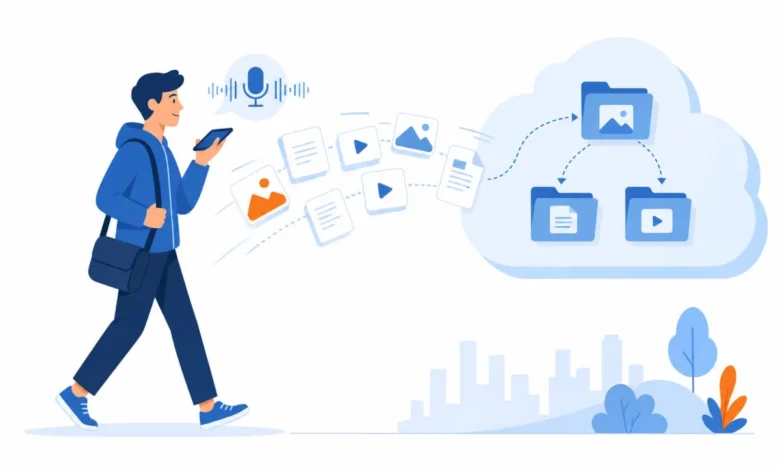
In the rapidly evolving landscape of artificial intelligence, the smartphone has emerged as a powerful hub for sophisticated AI applications, transforming how users interact with technology for productivity and information retrieval. For iPhone users, a robust and cost-effective AI ecosystem is not only achievable but can be implemented with zero additional financial outlay, leveraging the ubiquity of these tools across desktop and mobile platforms. This comprehensive guide explores the top AI applications that seamlessly integrate into an iPhone user’s daily workflow, offering enhanced capabilities for communication, research, organization, and focus.
The Mobile AI Revolution: Redefining On-the-Go Productivity
The notion that powerful AI tools are confined to desktop environments is rapidly becoming obsolete. Modern AI applications are designed with cross-platform functionality in mind, ensuring that users can access their benefits regardless of their location or device. For iPhone users, this means the potential to harness advanced AI for tasks ranging from nuanced decision-making and in-depth research to effortless information capture and enhanced focus, all from the palm of their hand. The key lies in recognizing the mobile-specific advantages these applications offer, often through intuitive interfaces, voice integration, and convenient widget support.
Core AI Applications for the iPhone User
At the forefront of this mobile AI revolution are several applications that have proven indispensable for professionals and individuals seeking to optimize their productivity. These tools, many of which are already familiar to desktop users, offer unique advantages when accessed via an iPhone.
1. ChatGPT: The Conversational Powerhouse
- Pricing: Free tier available; ChatGPT Plus ($20/month) and ChatGPT Team ($25/user/month, billed annually) offer advanced features.
- Mobile-Specific Advantage: Voice Mode. This feature transforms ChatGPT into a truly conversational AI, allowing for natural, hands-free dialogue. Users can speak their queries and receive spoken responses, making it ideal for multitasking environments.
- Expanded Capabilities: Beyond voice, the mobile app supports image generation via DALL-E and allows users to upload photos for analysis or questioning. This dual functionality makes it a versatile tool for creative tasks and visual problem-solving.
- Use Cases: Voice mode is particularly effective for generating quick ideas while commuting, drafting emails while cooking, or even dictating thoughts during a walk. The ability to have a fluid conversation without the need for typing significantly enhances efficiency.
- Analysis: The integration of advanced conversational AI into a mobile interface, particularly through voice, represents a significant leap in accessibility. It democratizes access to powerful language models, making them a practical tool for everyday communication and task completion.
2. Claude: The Strategic Thinking Companion
- Pricing: Free tier available; Claude Pro ($20/month) offers extended usage and priority access.
- Mobile-Specific Advantage: Advanced Reasoning and Cross-Device Synchronization. Claude excels at tackling complex problems and providing nuanced advice. Its mobile app brings this sophisticated reasoning capability directly to the user’s pocket, enabling strategic thinking away from the desk. Projects and conversations sync seamlessly across devices, ensuring continuity.
- Use Cases: Paste a client email to receive strategic response suggestions, discuss a challenging problem to gain critical feedback, or review important documents during transit. Claude’s ability to offer thoughtful pushback makes it invaluable for high-stakes decision-making.
- Analysis: While ChatGPT is excellent for quick answers and creative generation, Claude’s strength lies in its depth of analysis. The mobile availability of this capability is crucial for professionals who need to make informed decisions while on the move, bridging the gap between impromptu thinking and strategic planning.
3. Perplexity: The Intelligent Research Assistant
- Pricing: Free tier available; Perplexity Pro ($20/month) offers enhanced features and more comprehensive search capabilities.
- Mobile-Specific Advantage: Tab-Free Research. Perplexity fundamentally redefines online research by providing synthesized answers with cited sources, eliminating the need to sift through multiple browser tabs. This is particularly advantageous on mobile devices where tab management can be cumbersome.
- Use Cases: Quickly gather background information on individuals or companies before meetings, research complex topics without the distraction of numerous open tabs, or verify facts on the fly. The speed and clarity of its responses are paramount in a mobile context.
- Analysis: Perplexity’s approach to search addresses a significant pain point for mobile users: the inefficiency of traditional web browsing on smaller screens. By delivering concise, source-backed answers, it streamlines the research process, saving valuable time and cognitive load.
4. Notion: The Ultimate Mobile Workspace and Capture Tool
- Pricing: Free tier available; Notion Plus ($10/month) and Business ($20/month) offer expanded features for teams and individuals.
- Mobile-Specific Advantage: Frictionless Capture via Quick Add Widget. Notion’s iOS widget allows users to add notes, ideas, or tasks to their chosen database with a single tap from the home screen. This minimizes the friction associated with capturing fleeting thoughts.
- Expanded Capabilities: Notion AI features are fully accessible on mobile, enabling workspace searches, page summarization, and quick answers based on user data.
- Use Cases: Instantly save brilliant ideas to an "Inbox" database, append meeting notes to client pages, or update task statuses between appointments. The Quick Add widget ensures that capturing information takes mere seconds.
- Analysis: The mobile app’s focus on rapid data entry and retrieval, amplified by the Quick Add widget, makes Notion an indispensable tool for maintaining an organized digital life on the go. It transforms the iPhone into an extension of one’s personal knowledge management system.
5. Otter.ai: Real-Time Transcription Anywhere
- Pricing: Free tier (300 minutes/month); Otter Pro ($8-$17/month) offers more transcription time and advanced features.
- Mobile-Specific Advantage: On-the-Go Real-Time Transcription. Otter’s mobile app allows users to record and transcribe conversations, lectures, or voice memos in real-time. The generated transcripts are searchable and shareable, preserving valuable information from any setting.
- Use Cases: Transcribe impromptu meetings in coffee shops, capture spoken ideas as text, or generate notes from phone calls. The visual feedback of words appearing as they are spoken is highly engaging and useful.
- Analysis: The ability to instantly convert spoken words into text in any environment is a significant advantage of the mobile platform. Otter.ai capitalizes on this by providing a seamless and accurate transcription service, turning the iPhone into a mobile recording studio.
6. Granola: Seamless Meeting Context Review
- Pricing: $14/user/month.
- Mobile-Specific Advantage: Pocket-Sized Meeting Summaries. While Granola operates on a Mac during meetings to record and summarize, its iPhone app provides on-demand access to these summaries, action items, and key notes. This allows for quick review between back-to-back calls.
- Use Cases: Before a new meeting, quickly check the AI-generated summary of the previous discussion to refresh your memory on commitments and key takeaways.
- Analysis: Granola bridges the gap between desktop meeting intelligence and mobile accessibility. The ability to carry meeting context in your pocket ensures continuity and preparedness, preventing information from being lost between engagements.
7. Brain.fm: Portable Focus Enhancement
- Pricing: $6/month (annual subscription) or $10/month.
- Mobile-Specific Advantage: Creating a Focus Zone Anywhere. Brain.fm’s AI-generated music is designed to enhance focus, relaxation, or sleep. The mobile app allows users to access these scientifically optimized audio environments regardless of their physical location.
- Use Cases: Transform a noisy airport lounge, a bustling coffee shop, or a hotel room into a productive workspace. Brain.fm effectively blocks out distractions, enabling deep work in non-ideal environments.
- Analysis: In an era of constant connectivity and potential distractions, Brain.fm offers a unique mobile solution for cognitive enhancement. Its portability allows users to curate their auditory environment, fostering focus and productivity wherever they may be.
Implementing a Cost-Free Mobile AI Productivity Stack
A significant advantage of this curated list of AI applications is that every app offers a functional free tier. This means that users can construct a comprehensive and powerful AI productivity stack on their iPhone without incurring any additional costs beyond their existing device. The value proposition lies not in the expense, but in the strategic integration of these tools to leverage their mobile-specific strengths.
The $0 Mobile AI Stack: A Practical Implementation
For users looking to emulate this efficient setup, here’s a recommended organizational approach for their iPhone:
- Home Screen Dock: ChatGPT, Claude, Notion, and a communication app like Superhuman (if applicable) for quick access to core AI and communication tools.
- First Page: Perplexity for research, Granola for meeting context, Brain.fm for focus, Otter.ai for transcription, and the Calendar app for scheduling awareness.
- Widgets: Notion Quick Add widget for immediate capture and the Calendar widget for at-a-glance schedule visibility.
This arrangement prioritizes accessibility and minimizes the number of taps required to initiate key AI-powered actions. The total cost of this robust mobile AI stack remains $0, demonstrating that advanced productivity tools can be readily available without a premium subscription for mobile usage.
Tips for Maximizing AI App Effectiveness on iPhone
To truly harness the power of AI on an iPhone, users should adopt specific strategies:
- Embrace Voice Input: Mobile typing can be slow and cumbersome. Utilize voice-to-text features extensively, especially with ChatGPT’s voice mode, Siri dictation for widgets like Notion’s Quick Add, and Otter.ai for spontaneous recording.
- Leverage Widgets: Widgets provide immediate access to essential functions from the home screen. The Notion Quick Add widget, for instance, can drastically reduce the time spent capturing ideas.
- Utilize Shortcuts Automation: iOS Shortcuts allows users to create custom automated workflows. A voice command like "Hey Siri, capture an idea" can instantly launch the Notion Quick Add widget, or "Hey Siri, start focus time" can activate Brain.fm. This layer of automation makes AI tools feel more integrated and responsive.
- Optimize for Mobile Workflows: Recognize that mobile AI is best suited for quick capture, immediate reference, and voice interactions. Reserve more intensive tasks like detailed editing or in-depth analysis for a desktop environment. The principle of "fast in, fast out" is key for mobile productivity.
Addressing Common Concerns: Battery Life and Paid Tiers
- Battery Consumption: Applications like ChatGPT (especially with continuous voice interaction) and Brain.fm can be more resource-intensive due to continuous processing. However, for typical daily usage, battery drain is generally manageable on a fully charged device. Extended, heavy usage might necessitate carrying a power bank.
- Necessity of Paid Versions: For most users, the free tiers of these AI applications are perfectly adequate for mobile use. The premium features of paid versions are often more beneficial for intensive desktop workflows. Mobile usage typically involves shorter, more focused interactions that fall well within free tier allowances.
The Evolving Landscape: Apple Intelligence and Android Equivalents
Apple’s integrated "Apple Intelligence" is progressively enhancing iOS with AI capabilities, offering features like notification summarization and smart replies within Messages. While useful for ambient tasks, dedicated AI applications like ChatGPT and Claude offer significantly more power and versatility for complex operations. Apple Intelligence is best suited for seamless background assistance, while dedicated apps are the go-to for substantive AI-driven work.
For Android users, the good news is that most of these powerful AI applications are also available on the Android platform. ChatGPT, Claude, Perplexity, Notion, Otter.ai, Granola, and Brain.fm all have robust Android applications, offering a comparable user experience and the same productivity benefits.
The Future of Mobile AI
The integration of advanced AI into mobile devices represents a paradigm shift in personal productivity. By strategically adopting applications that offer unique mobile advantages, iPhone users can create a potent, cost-effective, and always-accessible AI toolkit. This empowers individuals to be more efficient, informed, and focused, transforming their smartphones into indispensable partners for navigating the demands of modern life. The journey towards a truly intelligent mobile experience is well underway, and for iPhone users, it’s an investment that costs nothing but yields immense returns in productivity and efficiency.