Google Ads Editor 2.13 Launch: Comprehensive Support for AI Max, Performance Max Enhancements, and the Phase-out of Legacy Video Campaigns

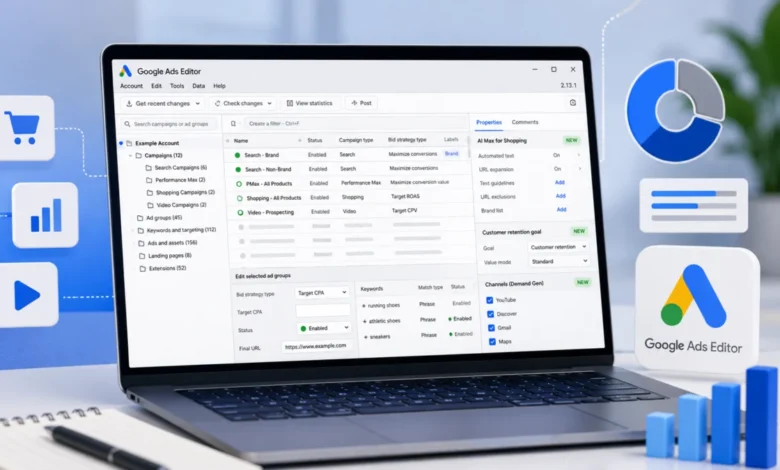
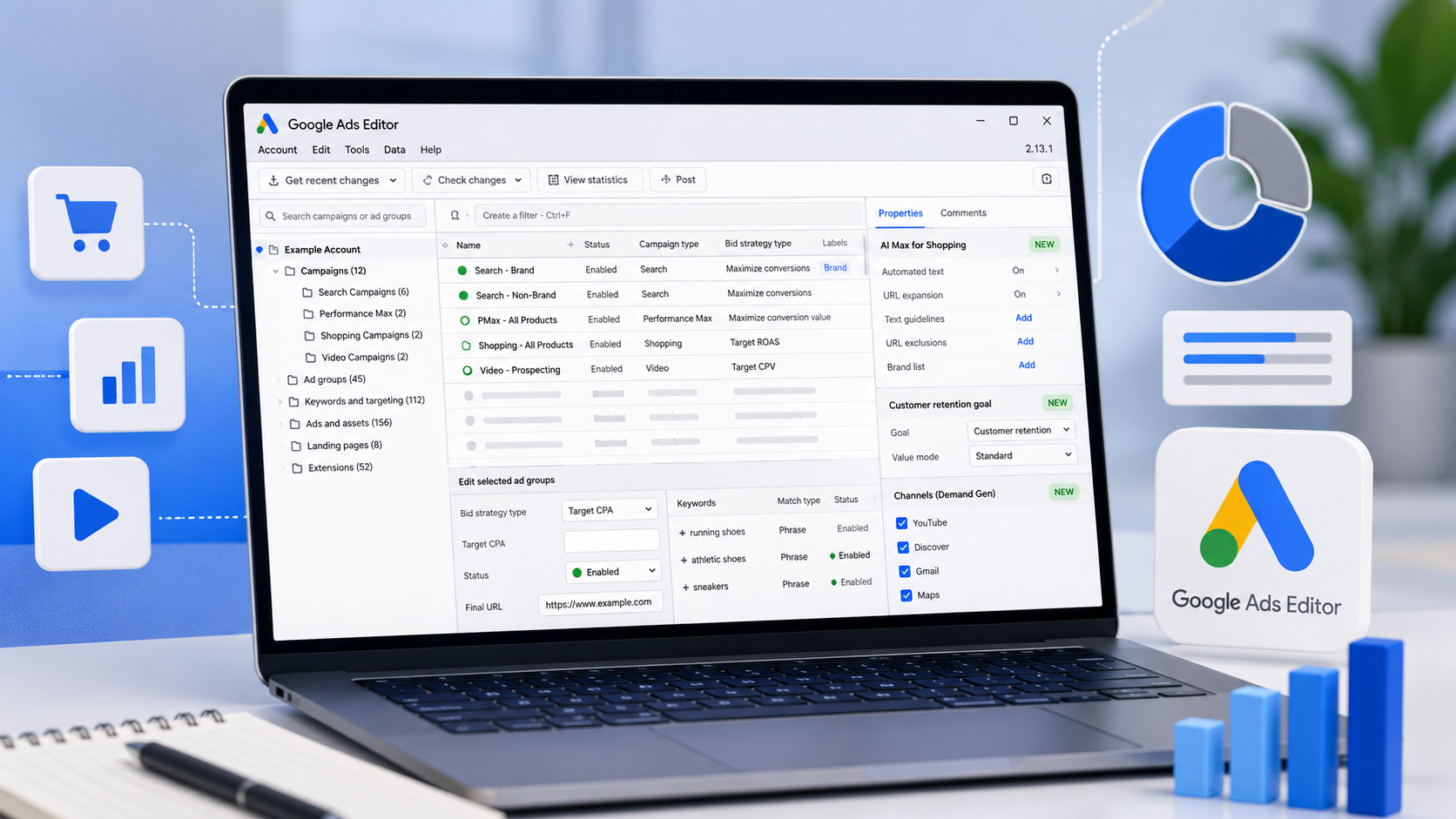
Google has officially released version 2.13 of Google Ads Editor, its cornerstone desktop application for large-scale campaign management. This latest iteration represents a significant milestone in the tool’s evolution, focusing heavily on integrating Google’s advanced artificial intelligence (AI) capabilities into the offline editing workflow. The update brings long-awaited feature parity for AI Max in Shopping campaigns, introduces sophisticated retention goals for Performance Max, and expands the reach of Demand Gen features, all while formally retiring support for the creation of new Video Action campaigns. For digital marketers and large-scale agencies, this update signifies a deeper shift toward an AI-first advertising ecosystem where bulk management tools are no longer just for spreadsheets and keyword lists, but for managing complex, automated creative engines.
The Evolution of Google Ads Editor and the v2.13 Milestone
Google Ads Editor has served as the industry standard for search engine marketing (SEM) professionals since its inception in 2006. Originally designed to allow advertisers to make bulk changes to keyword lists and text ads without the latency of a web browser, the tool has had to reinvent itself several times. In recent years, as Google transitioned from manual bidding and keyword matching to "Smart" campaigns and Performance Max (PMax), the Editor was often several steps behind the web interface.
Version 2.13 aims to close that gap. By introducing support for AI Max within Shopping campaigns, Google is acknowledging that even traditional retail advertisers are moving toward fully automated placements. The inclusion of these features in Editor 2.13 allows power users to configure, duplicate, and scale AI-driven campaigns across multiple accounts simultaneously—a task that was previously cumbersome and required manual intervention in the Google Ads web UI.
Integration of AI Max in Shopping Campaigns
The most prominent feature of the 2.13 update is the expanded support for AI Max within the Shopping campaign framework. Historically, Shopping campaigns were managed through granular product groups and manual bidding. With the introduction of AI Max, Google uses machine learning to optimize where and how products appear across the Search Network, YouTube, and the Display Network.
In Editor 2.13, advertisers can now manage the asset groups, audience signals, and bidding constraints of AI Max for Shopping campaigns offline. This is particularly critical for e-commerce brands during peak seasons like Black Friday or Cyber Monday, where hundreds of campaign adjustments must be made rapidly. The ability to copy and paste AI Max settings across different regions or product categories ensures that best practices are applied consistently without the risk of manual entry errors.
Performance Max and the New Frontier of Retention Goals
Performance Max campaigns have been the subject of intense debate among PPC specialists since their rollout. While they offer unparalleled reach, critics have often pointed to a lack of control over audience segmentation. Google Ads Editor 2.13 addresses some of these concerns by introducing new retention goals for Performance Max.
These goals allow advertisers to distinguish between "New Customer Acquisition" and "Existing Customer Retention." Within the Editor, users can now set specific values for acquiring new customers versus re-engaging old ones. This feature leverages Google’s first-party data and AI to prioritize bidding toward users who haven’t interacted with a brand in a set period, or conversely, to focus on high-value repeat purchasers. For retailers focused on Customer Lifetime Value (CLV), the ability to manage these goals in bulk is a transformative addition to the offline toolkit.
The Transition from Video Action to Demand Gen
A major structural change in version 2.13 is the removal of support for creating new Video Action campaigns. This marks the final stages of Google’s migration strategy, which replaces legacy video formats with Demand Gen campaigns. Demand Gen is designed to thrive in the world of "social-style" browsing, focusing on visually-driven platforms like YouTube Shorts, Discovery feeds, and Gmail.
While existing Video Action campaigns will continue to run for a limited time, Editor 2.13 forces the hand of advertisers to adopt Demand Gen for all new initiatives. The update includes expanded features for Demand Gen, such as improved support for "Lookalike Segments" and more robust creative asset management. This shift reflects a broader industry trend where video advertising is no longer just about "pre-roll" clips but about integrated, multi-format storytelling that encourages immediate user action.
Workflow Improvements and Technical Enhancements
Beyond the headline features, Google Ads Editor 2.13 introduces several quality-of-life improvements that address long-standing frustrations within the PPC community.
- Resume Download Support: One of the most significant technical hurdles for users managing massive accounts with millions of keywords has been the fragility of the download process. If an internet connection dropped during a large sync, the process would often fail entirely. Version 2.13 introduces "Resume Download," allowing the tool to pick up where it left off, saving hours of productivity for global account managers.
- Improved Column Management: As Google adds more metrics—such as "Optimization Score," "Quality Score" variants, and "AI Compliance" flags—the Editor’s interface has become cluttered. The new version offers more granular control over column views, allowing users to save custom configurations that align with specific reporting needs.
- Best-Practice Warnings: Google has integrated a series of new "audit" flags. For instance, if a video campaign lacks sufficient creative assets or if a bidding strategy is likely to limit reach, the Editor will now trigger a warning before the changes are posted. This acts as a safeguard against common mistakes in high-velocity account management.
- AI Compliance Tools: With increasing regulations regarding AI-generated content, Google has added tools to help advertisers label and manage AI-assisted creatives. This ensures that campaigns remain compliant with Google’s evolving policies on transparency.
Chronology of Recent Updates
To understand the significance of 2.13, one must look at the rapid pace of development over the last 12 months:
- Version 2.11: Focused heavily on the initial rollout of Performance Max for travel goals and basic Demand Gen support.
- Version 2.12: Introduced better support for Discovery-to-Demand Gen migration and refined the "Image Library" integration.
- Version 2.13: The current release, which cements the "AI-first" philosophy by bringing Shopping and Video into the automated fold.
This timeline demonstrates Google’s commitment to ensuring its desktop tool is not just a legacy application, but a modern interface for its most advanced advertising products.
Market Analysis and Industry Implications
The release of Google Ads Editor 2.13 has been met with a mixture of praise and caution from the digital marketing community. On one hand, the efficiency gains from bulk-managing AI Max and Performance Max are undeniable. Large agencies that manage thousands of campaigns across multiple clients can now implement sophisticated AI strategies at a fraction of the time it would take in the web UI.
On the other hand, the removal of Video Action campaigns and the push toward AI Max represent a continued loss of granular control. Many "old school" search marketers express concern that Google is moving toward a "black box" model where the machine makes all the decisions. However, version 2.13 suggests that Google is trying to find a middle ground. By providing tools for "Audience Signals" and "Retention Goals" within the Editor, Google is giving advertisers the "levers" they need to guide the AI, rather than just letting it run unassisted.
The "Bottom Line" for the industry is clear: the role of the PPC manager is shifting from "keyword optimizer" to "AI strategist." Tools like Editor 2.13 are designed for professionals who understand how to feed the right data and constraints into an automated system, rather than those who want to micromanage every individual bid.
Official Responses and Strategic Outlook
While Google rarely issues public statements on minor version releases, the documentation accompanying 2.13 emphasizes "efficiency and scalability." Internal sources suggest that the focus on "Resume Download" and "Column Management" was a direct response to feedback from some of the world’s largest advertising spenders who felt the tool was becoming sluggish under the weight of modern campaign data.
Looking forward, it is expected that future versions of the Editor will continue to integrate more generative AI features. We may soon see the ability to generate ad copy or modify images directly within the Editor using Google’s Gemini models. For now, version 2.13 stands as a robust bridge between the era of manual search management and the future of AI-driven cross-channel marketing.
Conclusion
Google Ads Editor 2.13 is more than a simple patch; it is a comprehensive update that aligns the desktop experience with the current state of digital advertising. By enabling bulk management for AI Max, introducing sophisticated customer retention tools, and finalizing the transition to Demand Gen, Google has ensured that its most powerful users have the tools they need to navigate an increasingly automated landscape. As the industry moves toward the 2025 fiscal year, version 2.13 will likely become the baseline for performance marketing teams aiming to maintain a competitive edge in a fast-evolving marketplace.