With nearly two billion daily active users frequenting the platform globally, Facebook remains a cornerstone for commercial outreach, consumer engagement, and digital marketing strategies. Recent corporate disclosures indicate that more than 200 million enterprises utilize Meta’s free digital infrastructure, including dedicated Facebook Business Pages, to establish digital storefronts and cultivate brand loyalty. In an increasingly competitive digital marketplace, a properly configured and optimized business page serves as an indispensable asset for building brand awareness, managing customer service inquiries, and driving targeted advertising campaigns. This comprehensive guide outlines the procedural steps required to establish, configure, and optimize a professional Facebook Business Page, alongside a structural analysis of its broader implications for modern digital commerce.
The Evolution of Facebook as a Commercial Ecosystem
Since its inception, Facebook has evolved from a social networking utility for university students into a dominant global marketplace. The introduction of business-specific accounts transformed how brands interact with consumers, shifting the paradigm from traditional top-down advertising to interactive, community-driven commerce. Historically, businesses relied exclusively on word-of-mouth and physical storefronts; today, a digital footprint on platforms like Facebook is considered foundational.
Market analysts note that the integration of Facebook Business Pages with advanced tools—such as Facebook Shops, Meta Ads Manager, and WhatsApp Business—has bridged the gap between casual browsing and transactional conversion. Organizations ranging from multinational corporations to local independent artisans utilize these integrated features to streamline the consumer journey. Consequently, establishing a business page is no longer merely a branding exercise, but a critical operational requirement for enterprises seeking to capture mobile-first consumers.
Prerequisites and Preliminary Account Setup
The process of creating a Facebook Business Page requires an existing personal Facebook account. Meta mandates that every business page be anchored by at least one personal profile acting as an administrator. This structural requirement ensures security, accountability, and seamless management across Meta’s business suite.
It is important for business owners and designated marketers to understand that personal profile information—such as friends lists, personal photos, and private posts—remains entirely hidden from the public-facing business page. The personal profile functions merely as a secure gateway to the management dashboard.
Step-by-Step Chronology for Page Creation
Establishing a professional presence requires adherence to a structured setup sequence. The following chronology details the necessary phases from initial registration to public launch:

-
Initial Registration and Naming
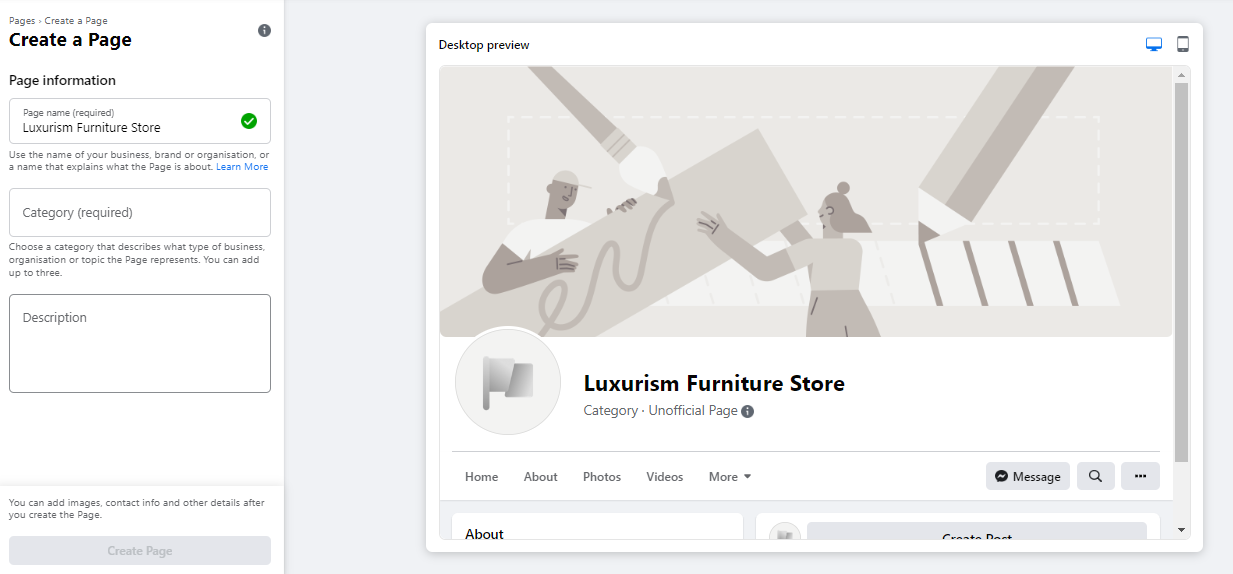
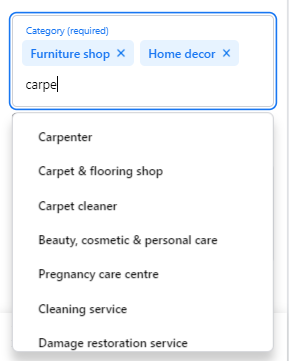
To initiate the process, administrators navigate to the designated page creation portal. The registration interface requires basic corporate data, including the official business name, relevant industry categories (up to three), and a concise business description capped at 255 characters. Industry experts recommend selecting a page name that mirrors the exact terminology consumers are likely to enter into search engines or social media search bars. -
Visual Branding: Profile and Cover Imagery
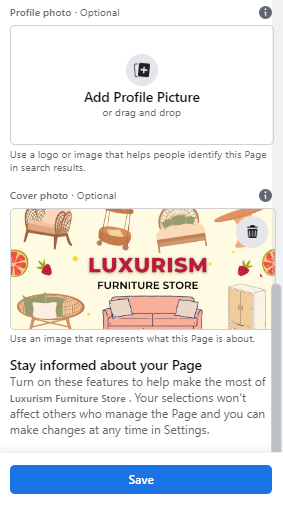
Visual presentation significantly influences consumer trust. Administrators must upload a high-resolution profile picture—typically a corporate logo, professional headshot, or signature product—adhering to the recommended dimensions of 180 by 180 pixels. This image appears adjacent to the brand name in search results and comment threads. Additionally, a cover photo measuring 1640 by 856 pixels should be selected to visually communicate brand identity and core offerings. Preview tools allow administrators to verify how these assets appear across both desktop and mobile viewports before saving.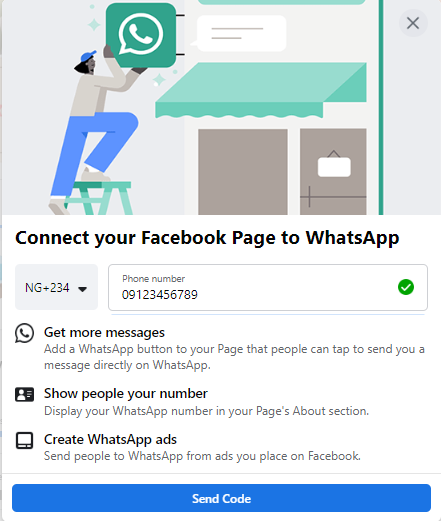
-
Communication Integration (WhatsApp)
Following visual configuration, platforms often prompt administrators to link their business page with a WhatsApp account. While optional, this integration enables the placement of direct messaging buttons on the page and facilitates the routing of prospective customers from paid advertisements directly into private chat interfaces, thereby shortening the sales funnel. -
Establishing a Custom Username (Vanity URL)
To enhance discoverability, organizations must establish a custom username, commonly referred to as a vanity URL. This identifier should be concise, memorable, and closely aligned with the official business name. Once validated by the system’s availability check, this username forms the direct web address through which users can locate the enterprise on Facebook.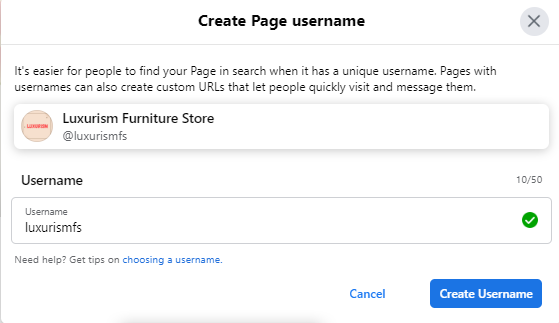
-
Comprehensive Data Population of the About Section
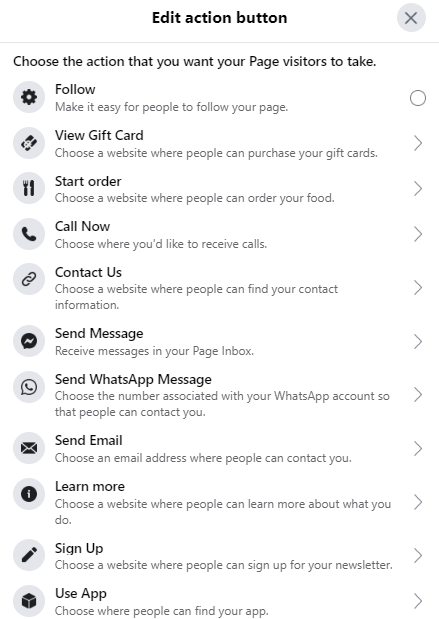
Industry analysts strongly advise against leaving administrative fields blank. The About section frequently serves as the primary touchpoint for prospective buyers evaluating an organization’s legitimacy. Administrators must input valid website URLs, physical addresses, operating hours, and active phone numbers. Furthermore, configuring a primary Call-to-Action (CTA) button—such as "Shop Now," "Book Now," or "Send Message"—directs visitor intent toward specific commercial outcomes. If necessary, pages can be temporarily unpublished via the General settings menu while administrative data is finalized. -
Initial Content Deployment
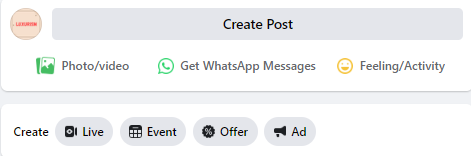
A newly created page must feature relevant, high-value content before public promotion begins. Administrators should publish foundational posts, informational updates, or industry-specific insights to provide immediate context for visiting users. Utilizing specialized post types, such as upcoming events or open job listings, further enhances professional credibility.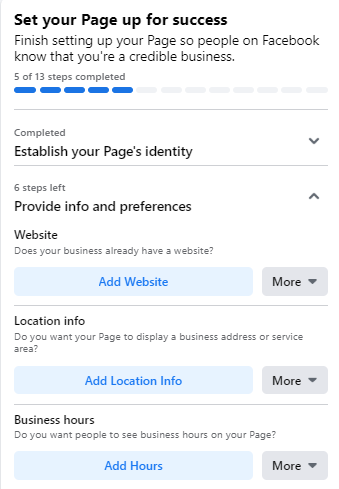
-
Audience Acquisition and Promotion
With the foundational architecture complete, organizations can begin cultivating an audience. Initial outreach typically involves inviting existing personal connections, leveraging corporate email signatures, and integrating social media follow buttons into external websites.
Advanced Optimization Strategies for Maximum Engagement
Simply creating a page is insufficient to guarantee digital marketing success; continuous optimization is vital for maximizing return on investment (ROI).
Leveraging Page Insights for Data-Driven Decisions
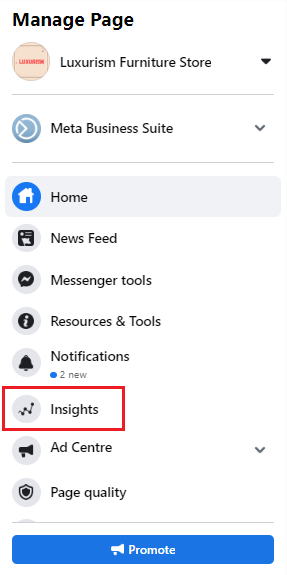
Facebook Page Insights provides granular analytical data regarding audience demographics, engagement rates, and content reach. By evaluating metrics such as website clicks, CTA button interactions, and user demographics (age, gender, and geographic location), marketing teams can refine their social media content calendars to deliver targeted material that resonates with core consumer segments.

Strategic Use of Pinned Posts
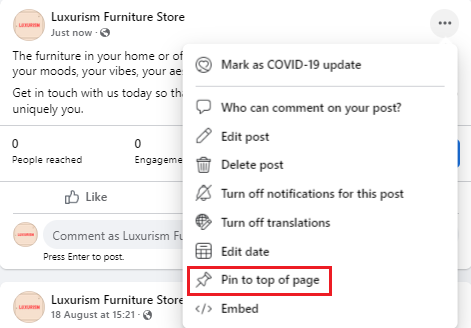
To highlight critical announcements, seasonal promotions, or major corporate milestones, administrators utilize the pin-to-top feature. Pinned posts remain fixed at the apex of the timeline, immediately capturing the attention of incoming visitors before standard chronological feed items appear.
Community Building and Inter-Page Networking
Because Facebook is fundamentally a social medium, active community participation is essential. Businesses can enhance their visibility by liking and following non-competing industry peers or local allied enterprises as their business page. This fosters collaborative digital ecosystems and generates mutual networking notifications. Furthermore, joining relevant Facebook Groups under the identity of the business page allows organizations to establish authority within niche markets.
Implications and Broader Economic Impact
The widespread adoption of Facebook Business Pages underscores the democratization of digital marketing. Small and medium-sized enterprises (SMEs) that historically lacked the capital for traditional broadcast advertising can now access sophisticated global audiences at minimal direct financial cost.
However, industry analysts emphasize that platform dependence carries inherent risks. Changes to Meta’s proprietary news feed algorithms can abruptly alter organic reach figures, forcing businesses to supplement organic strategies with paid advertising investments. Consequently, experts recommend maintaining a diversified digital presence that integrates social media marketing with owned media assets, such as corporate websites and email newsletters.
Conclusion
Establishing a Facebook Business Page remains a fundamental prerequisite for modern enterprise marketing. By systematically executing initial setup protocols—ranging from visual branding to comprehensive data population—and maintaining an active optimization strategy utilizing analytics and community engagement, organizations can effectively harness Meta’s vast digital infrastructure to achieve sustainable commercial growth.