Maintaining a consistent content calendar is the backbone of growth on social media, yet the tactical execution of posting remains a significant hurdle for many creators. While ideation, filming, and editing occupy the bulk of a creator’s energy, the final step—hitting "publish" at the optimal moment—is frequently overlooked. Fortunately, TikTok has evolved its infrastructure to allow for native scheduling, and third-party management tools have further streamlined the process. This guide examines the technical capabilities, strategic advantages, and limitations of scheduling content on TikTok as of late 2026.
The Evolution of TikTok’s Scheduling Capabilities
For years, the absence of a native scheduling feature forced creators to rely on manual uploads, often disrupting workflows or requiring third-party workarounds that were prone to errors. TikTok’s introduction of a native scheduling tool within TikTok Studio represents a pivotal shift in the platform’s creator-first strategy. By allowing users to plan their content up to 30 days in advance, the platform has acknowledged the need for professional-grade workflow management.
Whether operating through a personal account or a large-scale business profile, the ability to schedule is now universally available. This accessibility eliminates the previous, often-cited "10,000 follower requirement" that restricted advanced tools to high-profile creators. Today, the democratization of these features allows small businesses and independent artists to maintain a presence without being tethered to their mobile devices.
Technical Parameters and Native Functionality
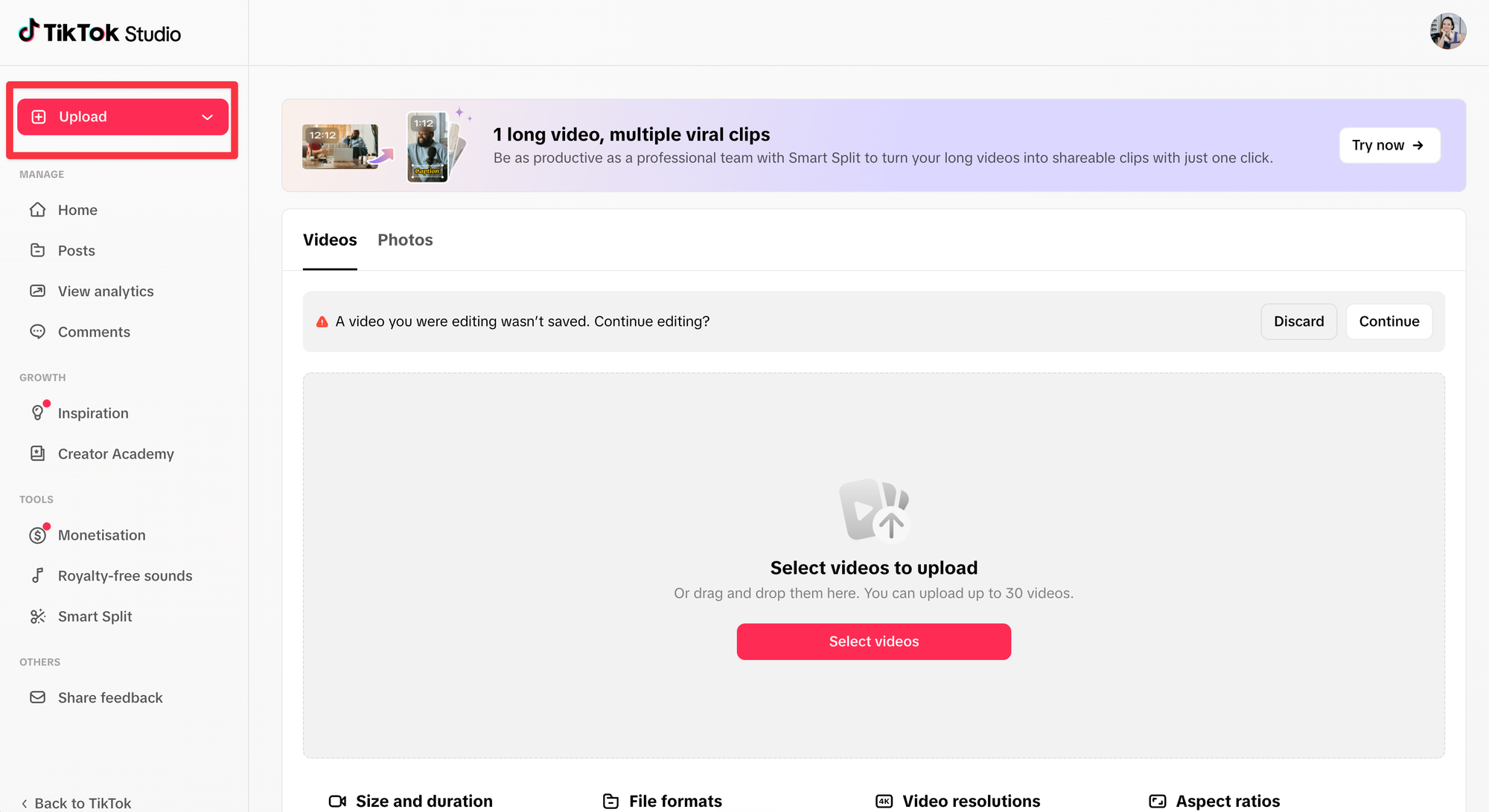
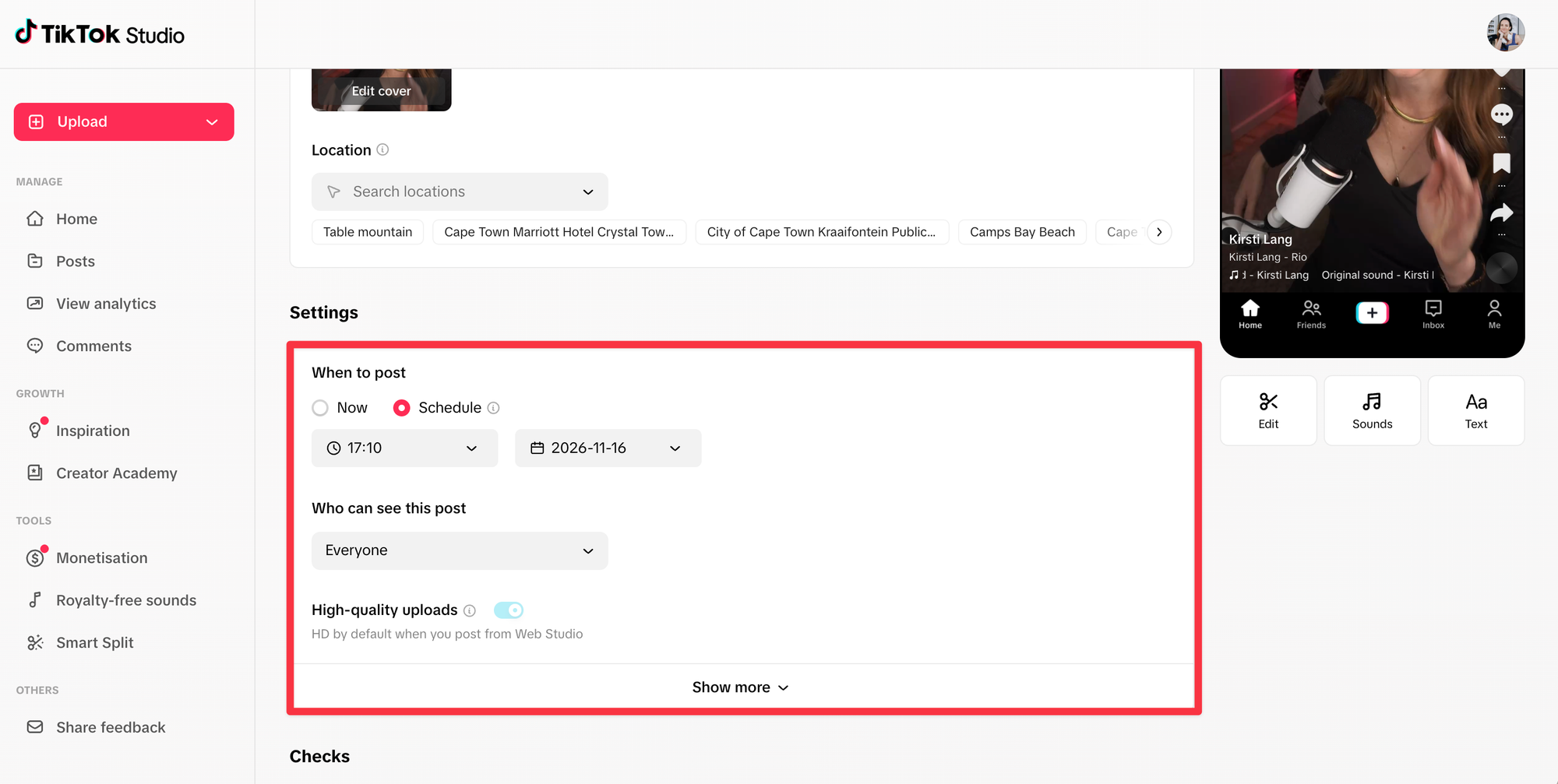
The native scheduler within TikTok Studio is designed for simplicity. It allows for a lead time of as little as 15 minutes and a maximum of 30 days. However, the system is rigid: once a post is queued, the metadata—including the video file and caption—is locked. If an error is detected or a last-minute change is required, the user must delete the scheduled entry entirely and re-upload the content.
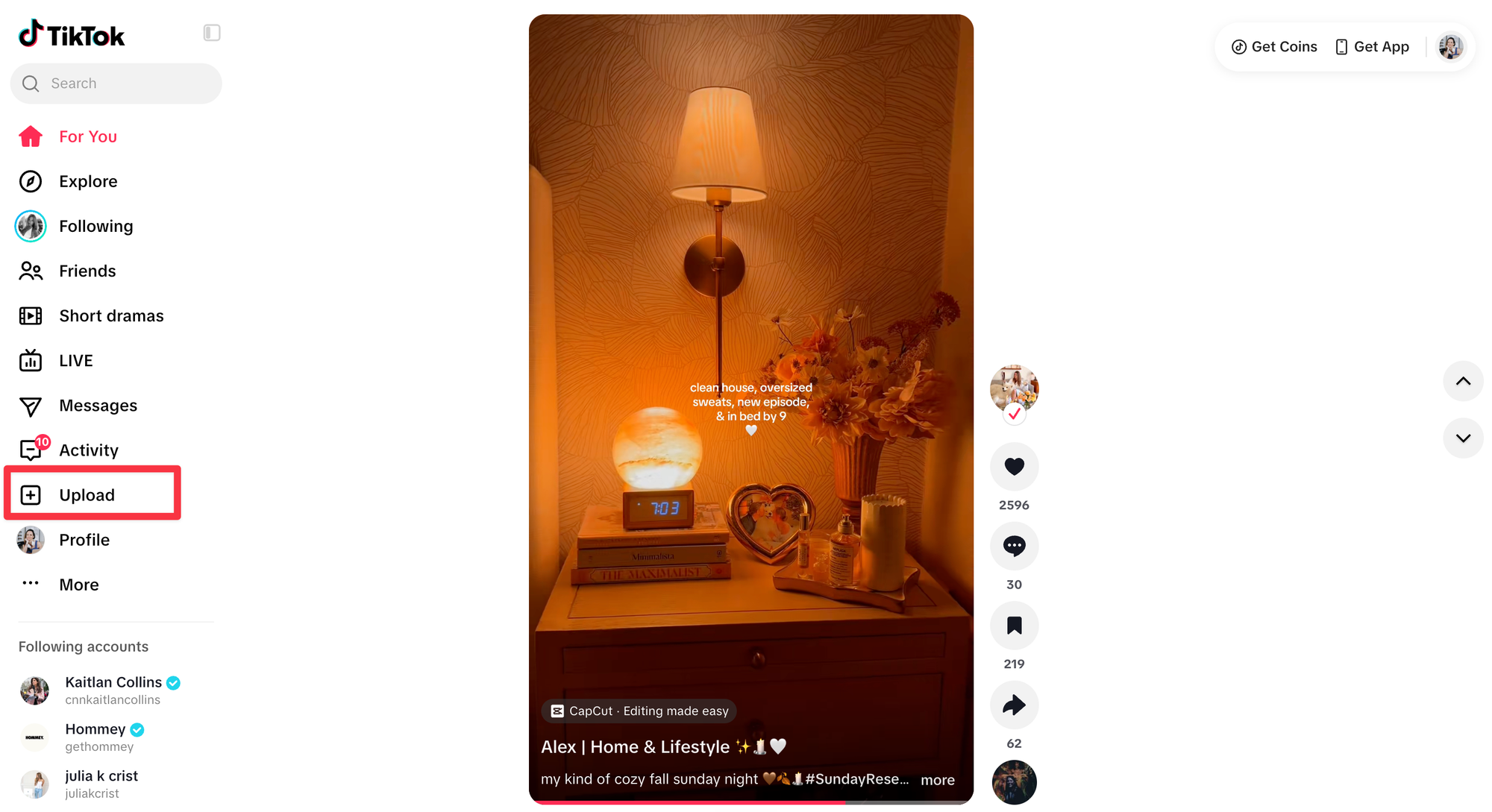
The tool is accessible via the desktop browser version of TikTok Studio and the dedicated mobile application. It is important to note that the standard TikTok mobile app, used for general browsing, does not always provide the same level of granular control as the specialized Studio interface. Users experiencing difficulties finding the schedule button should verify they are utilizing the correct application environment.
Comparative Analysis: Native Scheduling vs. Third-Party Tools
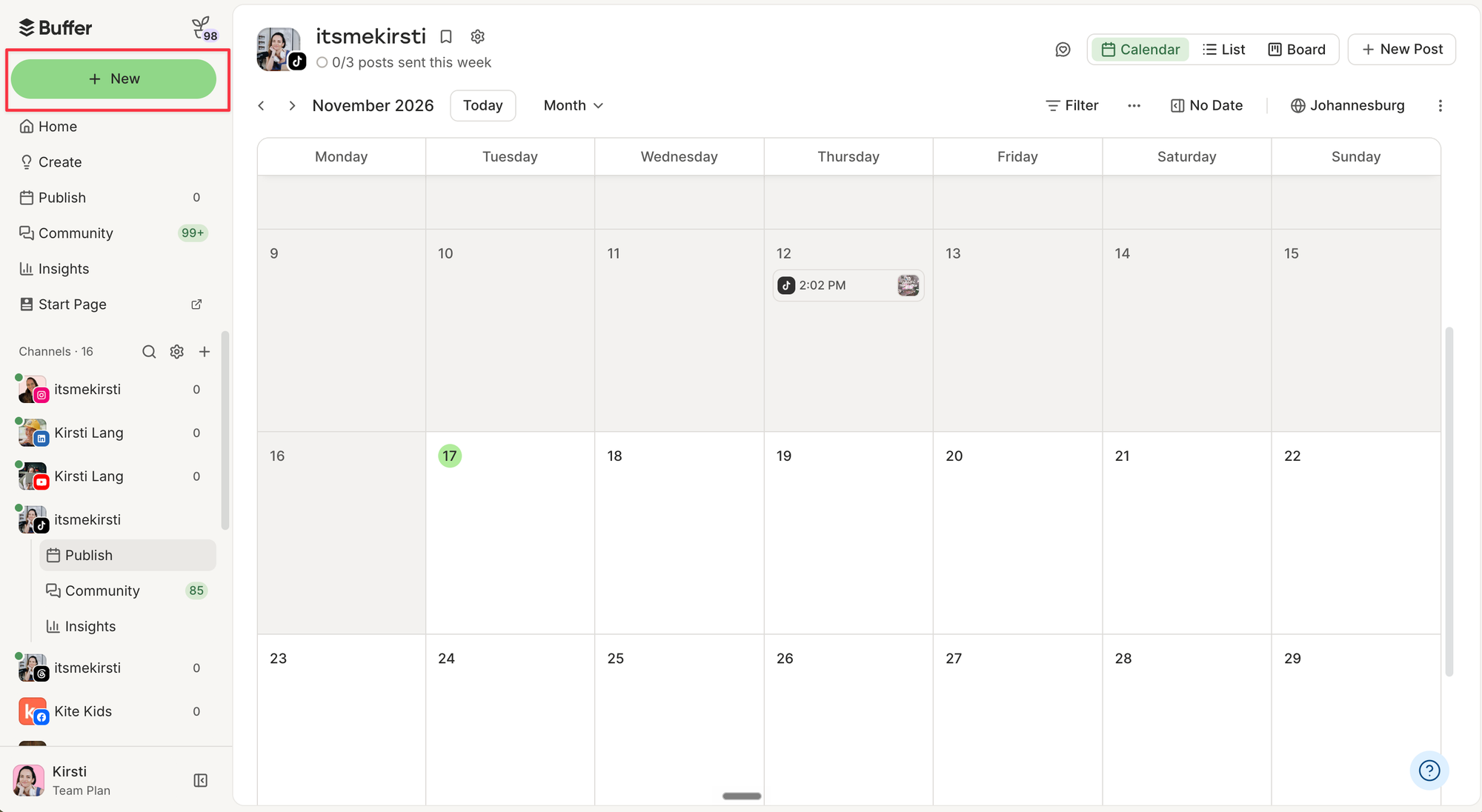
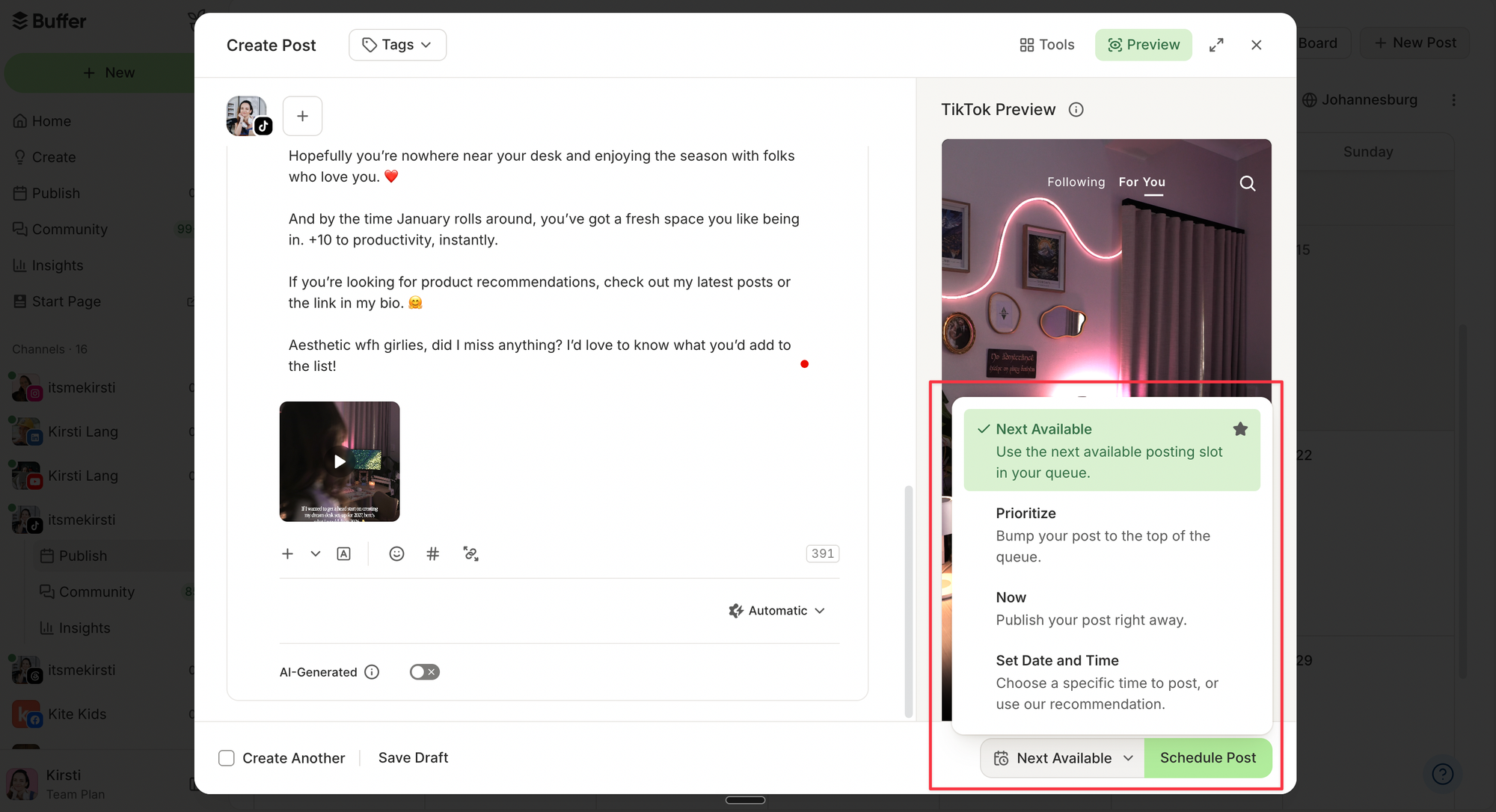
While the native tool is free and convenient for TikTok-specific workflows, it lacks the cross-platform integration required by power users. Third-party platforms like Buffer fill this gap by allowing for multi-channel distribution.
When a brand needs to syndicate the same content across Instagram, YouTube, and TikTok, using a centralized management tool is statistically more efficient. Buffer, for example, permits users to edit posts in the queue up until the moment of publication—a distinct advantage over the "delete-and-reupload" constraint of the native tool. Furthermore, third-party platforms provide robust analytics and community management features, such as unified inboxes that aggregate comments from multiple social channels, allowing for faster response times and higher engagement rates.
Data-Driven Scheduling Strategies
The efficacy of a scheduled post is directly linked to timing. Data analysis of over 7.1 million posts suggests that the "best time to post" is not a universal metric but a reflection of audience behavior. Creators are encouraged to utilize their TikTok Studio analytics to determine the exact hours their specific followers are most active.
In the absence of sufficient historical data, broad trends indicate that Sunday mornings (around 9:00 a.m.) and early weekday afternoons (around 1:00 p.m.) see elevated engagement. These findings suggest that user habits are heavily influenced by leisure patterns, particularly on weekends. By scheduling posts to coincide with these high-traffic windows, creators can capitalize on the algorithmic "early signal" boost, where initial engagement helps the platform’s recommendation engine categorize and promote the content to a wider audience.
Addressing Common Technical Hurdles
Users occasionally report that the scheduling option fails to appear in their interface. This is typically the result of three factors: using an outdated version of the TikTok Studio app, attempting to schedule too close to the current time, or exceeding the 30-day limit.
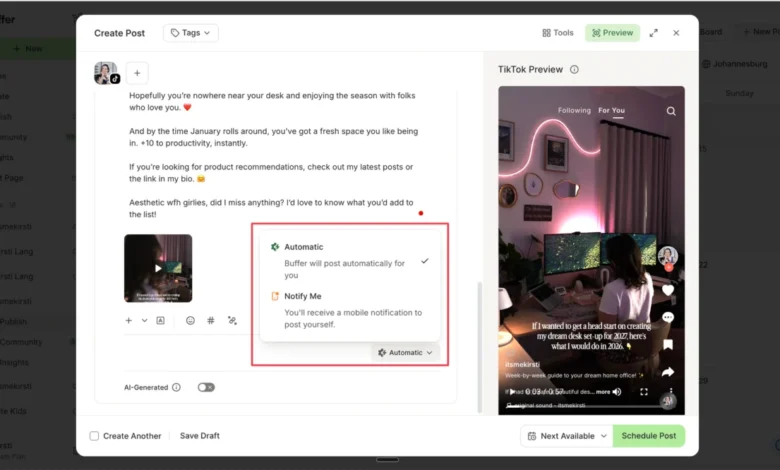
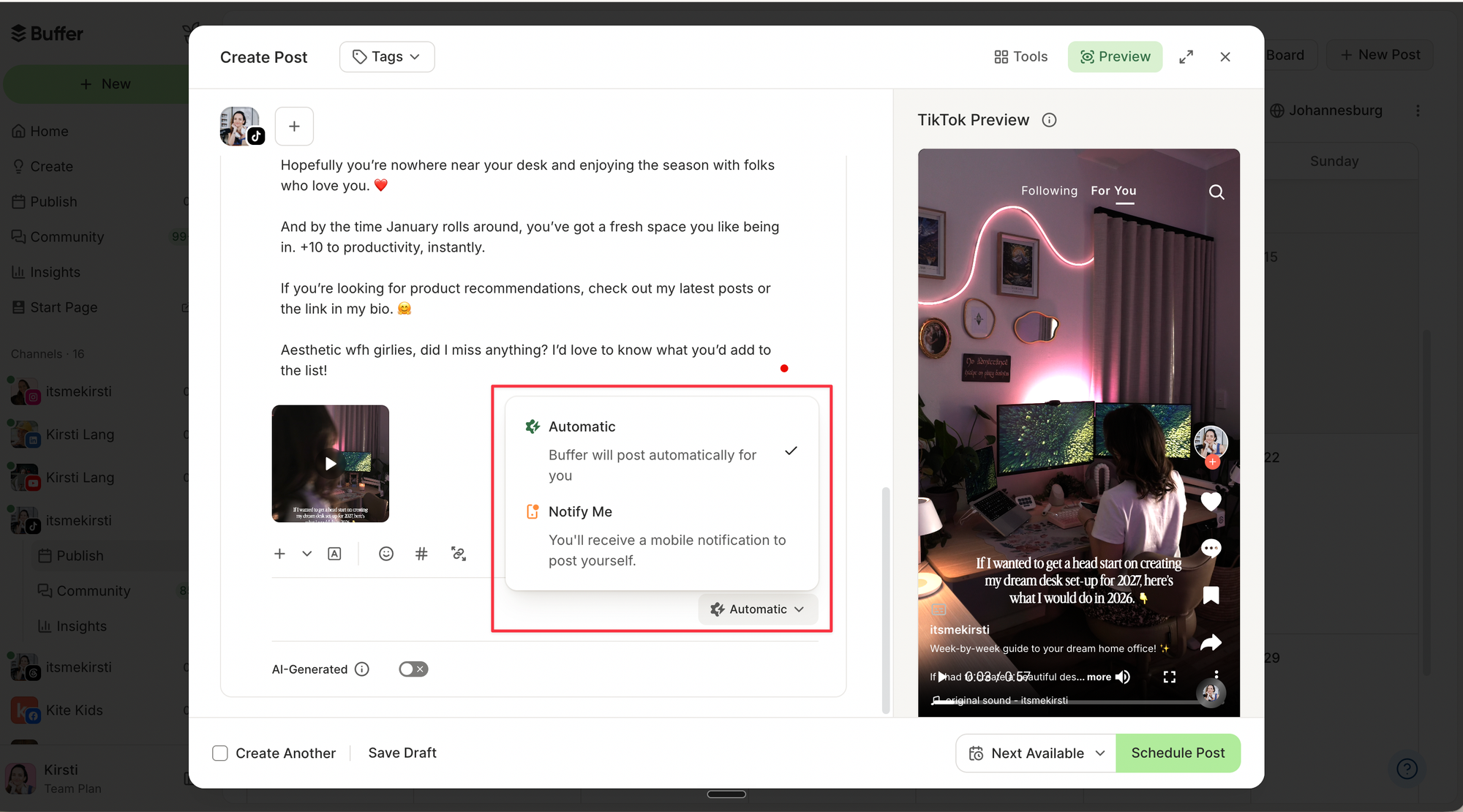
Furthermore, it is critical to address the distinction between personal and commercial accounts. Business accounts, for instance, are restricted to using commercially licensed music to avoid copyright infringement. When scheduling, these accounts must ensure that the audio used is cleared for commercial distribution. If a creator intends to use a trending, non-licensed song, they may need to utilize a "Notify Me" feature in third-party apps, which sends a push notification to the creator to finalize the post manually, thereby bypassing the automated upload restrictions that prevent unlicensed audio from being posted through the API.
The Role of Content Archiving and Workflow
A common pitfall in digital content production is the loss of master files. Because the native TikTok scheduler does not allow for post-edit changes, it is essential to maintain a "source of truth" folder. This should include the high-resolution video file and a document containing the final caption, hashtags, and any necessary link-in-bio updates. This practice minimizes the risk of losing time or engagement if a scheduled post must be removed due to a technical error or a sudden change in trending topics.
Broader Implications for the Creator Economy
The integration of scheduling tools into the TikTok ecosystem reflects a broader professionalization of the platform. As TikTok continues to compete with legacy social networks for advertising revenue, providing tools that mirror the workflow of professional marketing agencies is a strategic necessity.
The shift toward asynchronous posting—where content is created in one session and distributed over a week or month—has significant implications for brand health. It reduces the risk of "creator burnout," a phenomenon that has historically caused high churn rates among prominent influencers. By automating the distribution, creators can focus on high-level strategy and community interaction rather than the mundane logistics of timely posting.
Summary of Best Practices
- Optimize for your audience: Always consult the "Follower Activity" tab in your analytics before setting a permanent schedule.
- Prioritize responsiveness: Scheduling is not "set it and forget it." Engagement in the first 60 minutes of a post’s life is critical. Use centralized management tools to reply to comments immediately upon publication.
- Audit your content: If you are using a third-party tool, perform a "pre-flight" check of all links and hashtags to ensure they are functioning correctly across all platforms.
- Maintain a local backup: Never rely solely on the cloud-based scheduling queue as your primary archive. Always save finished assets on a local drive or secure cloud storage.
In conclusion, while the native TikTok scheduler is a powerful, cost-effective solution for many, the choice between native tools and third-party platforms should be governed by the scale of the operation. Smaller creators benefit from the simplicity of the native interface, while agencies and multi-platform creators gain significant efficiency through integrated, third-party management systems. As the platform evolves, the focus remains clear: consistency is the most reliable driver of visibility, and modern scheduling tools are the most effective means of achieving it.