Descript: Revolutionizing Content Creation with Transcript-Based Editing

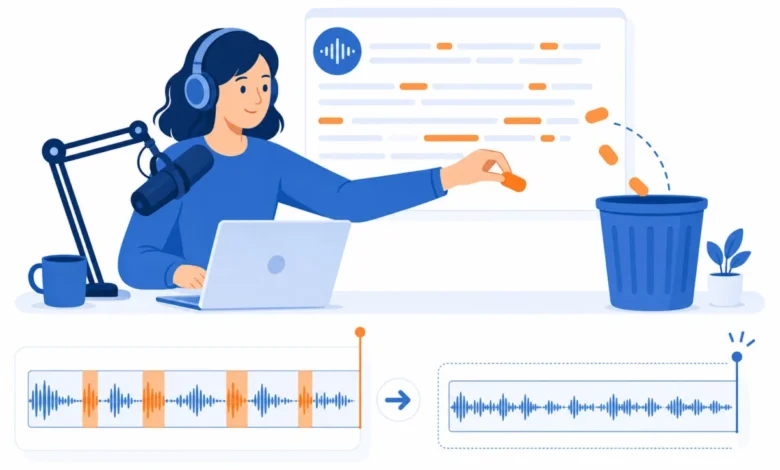
Descript has emerged as a groundbreaking platform in the digital content creation landscape, fundamentally altering how podcasters and video producers approach editing. At its core, Descript offers a revolutionary approach: users edit audio and video by manipulating a text transcript. This innovative method allows for the seamless cutting, rearranging, and refinement of media simply by editing the corresponding text. The Creator plan, priced at $24 per month when billed annually, stands out as the optimal choice for most podcasters, providing 30 media hours monthly and full access to its advanced AI features. For those curious to explore this novel workflow, a free tier is available, enabling users to test its compatibility with their creative process before committing to a paid subscription.
The Genesis of a New Editing Paradigm
The genesis of Descript’s innovative approach can be traced to the inherent inefficiencies of traditional timeline-based editing software, which often felt cumbersome for creators who primarily think in words. Established tools like Adobe Premiere Pro and Final Cut Pro, while powerful, necessitate a direct manipulation of visual and audio timelines. Descript bypasses this by transcribing recorded or imported media, presenting it as an editable document. Users can then delete paragraphs to remove corresponding audio segments, move entire sections by rearranging text blocks, and observe the media dynamically adjust in tandem. This "edit like a document" paradigm offers a significant workflow acceleration, particularly for podcasters and solo content creators whose primary output is dialogue-driven.
The platform’s development reflects a growing demand for more intuitive and efficient content creation tools in an era of burgeoning digital media. As the volume of podcasts and video content has exploded in recent years, creators have sought solutions that streamline post-production, a process that can often be a bottleneck. Descript’s core innovation directly addresses this challenge, offering a paradigm shift that prioritizes textual manipulation over complex timeline navigation.
Evaluating Descript’s Impact
The evaluation of Descript centers on its primary value proposition: the time savings afforded by its transcript-based workflow compared to conventional timeline editors. This assessment, verified against Descript’s live pricing in July 2026, highlights the tangible benefits for solo creators and podcasters. The platform’s pricing structure is designed to cater to a range of user needs, from individual hobbyists to larger professional teams.
Comprehensive Pricing and Plan Breakdown
Descript offers a tiered pricing model, ensuring accessibility for various user levels:
- Free Tier: At $0 per month, this tier provides 1 media hour and basic 720p export capabilities, along with 5 minutes of AI speech generation. This is an excellent entry point for users to familiarize themselves with the transcript-based editing concept.
- Hobbyist Plan: Priced at $16 per month (billed annually) or $24 per month (billed monthly), this plan offers 10 media hours and 1080p export. It represents a step up for creators who require more substantial editing capacity.
- Creator Plan: This plan, the "sweet spot" for many, costs $24 per month when billed annually (or $35 monthly). It includes a generous 30 media hours (with a bonus of 5 hours), 2 hours of AI speech, 4K export, and access to all AI features. This plan is ideal for regular podcasters and content creators.
- Business Plan: For teams and larger operations, the Business plan is available at $50 per month (billed annually) or $65 monthly. It provides 40 media hours (with a bonus of 10 hours), 5 hours of AI speech, and crucial team collaboration features.
It is important to note that Descript utilizes "media hours" as its unit of measurement. This encompasses not only transcribed audio but also untranscribed video uploads that are being trimmed or edited. This broader definition makes the "media hours" allowance a more encompassing measure of usage than traditional "transcription hours." For many, like the reviewer who averages 6-8 podcast episodes per month, the Creator plan’s 30+ bonus media hours prove more than adequate for a consistent weekly publishing schedule.
Core Features Driving Efficiency
Descript’s suite of features is engineered to enhance the speed and quality of content production. The standout functionality remains its transcript-based editing.
Transcript-Based Editing: The Workflow Game-Changer
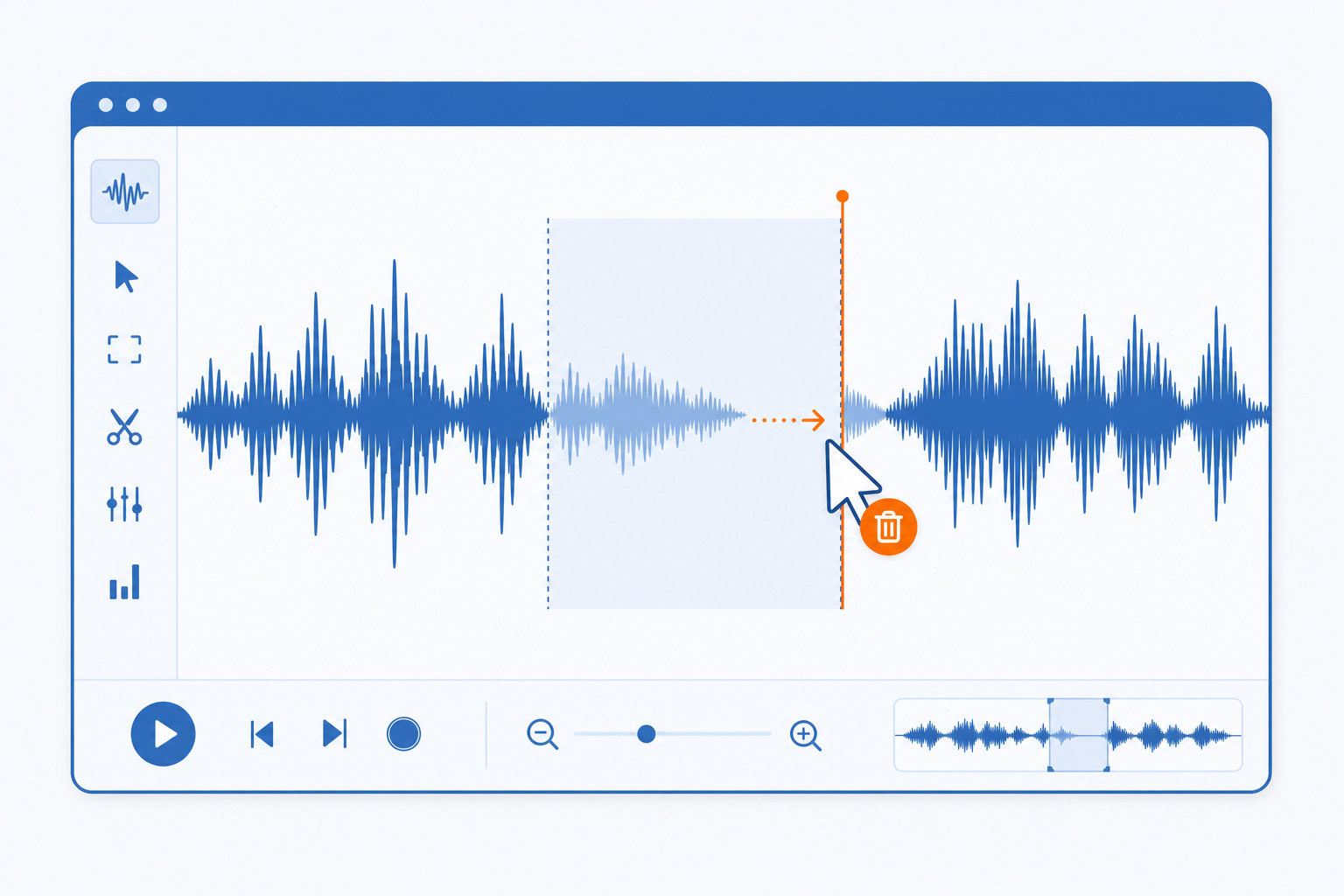
The process begins with recording or importing media. Descript then generates an accurate transcript, which becomes the primary interface for editing. This allows for the instantaneous removal of filler words, the deletion of entire sections by removing paragraphs, and the reordering of content by simply dragging and dropping text blocks. The associated audio and video then adjust in real-time, mirroring the textual edits.
The impact of this feature is profound. For a 45-minute podcast episode, a task that previously required 2-3 hours of painstaking manual editing on a timeline—listening through the entire recording to mark cut points—can now be completed in approximately 45 minutes. This dramatic reduction in post-production time is a significant advantage for creators managing demanding schedules.
Studio Sound: Professional Audio, Effortlessly
A particularly transformative feature is "Studio Sound." This one-click audio enhancement tool effectively removes background noise, echoes, and room reverb, elevating recordings made in less-than-ideal conditions to a professional studio quality. This capability has proven invaluable for creators who record in diverse environments, such as hotel rooms, cafes, or even while traveling. The before-and-after difference is consistently striking, making even recordings from a laptop microphone sound polished and broadcast-ready.
AI Actions for Content Repurposing
The integration of AI Actions, a feature introduced in 2025-2026, further amplifies Descript’s utility by automating content repurposing. By feeding a podcast episode into this AI, users can automatically generate a variety of derivative content. This includes:
- A summary blog post
- A short, shareable video clip
- A transcript for accessibility
- A list of key takeaways
While the generated blog posts may not always match the nuanced writing of human authors, AI Actions provide an exceptionally efficient first pass and a rapid method for creating social media snippets, saving hours of manual work.
Advanced AI Capabilities Unveiled
Beyond its core editing functions, Descript boasts several AI-powered features that enhance creative control and efficiency.
Overdub: Seamless Voice Correction
Overdub offers voice cloning capabilities, allowing users to train the AI with approximately three minutes of their voice. Once trained, users can type text, and Descript will generate audio in their cloned voice. The recent upgrade to Overdub 3.0, introduced in 2026, includes emotional control, enabling the generation of whispers, shouts, and excited tones.
This feature is primarily utilized for minor corrections. If a name or date is misspoken during recording, instead of re-recording the entire segment, users can type the correction, and Overdub seamlessly integrates it into the audio, making it indistinguishable from the original recording. While the ethical implications of voice cloning remain a subject of discussion, its practical application in correcting minor errors for podcast editors is undeniable.
Eye Contact AI: Enhancing Video Presence
For video creators, Eye Contact AI is a significant advancement. This feature intelligently adjusts the speaker’s gaze to appear as if they are looking directly at the camera, even when they are referencing notes or looking at a secondary screen. The effect is subtle but markedly improves viewer engagement by creating a more direct and present on-camera persona. This is particularly useful for creators of promotional videos or online courses who need to maintain viewer attention.
Quick Recorder: High-Quality Remote Interviews
Descript’s Quick Recorder provides a robust solution for remote interviews, supporting up to 10 guests in high-definition 4K. Crucially, each participant’s audio and video are recorded locally, mitigating the quality degradation often associated with internet-based recording. These local recordings are then automatically synced within Descript, offering a significant improvement in recording quality compared to platforms like Zoom for podcast guest appearances.
Acknowledging the Limitations: The Cons
Despite its numerous advantages, Descript is not without its drawbacks.
Transcription Accuracy: A Persistent Challenge
While Descript’s transcription accuracy is generally high, reaching approximately 95% for clear English, it can struggle with certain elements:
- Accents and dialects
- Technical jargon or specialized terminology
- Audio with significant background noise or multiple overlapping speakers
Consequently, users will invariably need to proofread transcripts for textual publication. However, for the primary purpose of audio editing, these minor inaccuracies rarely impede the workflow, as the focus remains on manipulating the audio through text.
The Learning Curve: Navigating a Feature-Rich Interface
The fundamental concept of transcript-based editing is intuitive once grasped. However, Descript’s continually expanding feature set can initially be overwhelming for new users. Features like Composition mode, Scenes, Overlays, Templates, and AI Actions require time to understand and integrate effectively. The recommended approach for new users is to focus solely on the transcript editor for their initial projects, gradually exploring other features as their needs evolve.
Export Speeds: A Matter of Patience
Exporting a full-length episode, such as a 45-minute podcast, can take between 5 to 10 minutes on a typical MacBook Pro. While not excessively long, this is noticeably slower than the near real-time export offered by some simpler editing tools. Users on the Business plan benefit from priority processing, potentially reducing export times.
Team Pricing: A Consideration for Larger Groups
For larger teams, the per-seat cost of the Business plan can accumulate. A team of three, for instance, would incur $150 per month for editing software alone. In such scenarios, professional video editing suites like Adobe Premiere Pro, bundled with Creative Cloud subscriptions, might offer a more cost-effective solution.
Targeted User Base and Ideal Applications
Descript’s design makes it particularly well-suited for specific creator profiles:
- Podcasters: This is Descript’s primary audience. The platform’s transcript-based editing, Studio Sound for audio quality, and Overdub for error correction offer unparalleled efficiency and quality improvements for podcast production.
- Solo Video Creators: YouTubers, online course instructors, and other independent video producers will find the text-based editing faster than traditional timeline methods once familiar. Features like Eye Contact AI and Studio Sound also contribute significantly to video production quality.
- Content Repurposers: For individuals seeking to transform long-form content into shorter clips, blog posts, and social media updates, Descript’s AI Actions and integration with tools like Opus Clip significantly accelerate this process.
However, Descript is not intended to replace professional video editing software for all use cases.
- Not Ideal For: Professional video editors requiring intricate timeline control, advanced color grading, or complex motion graphics will find Descript less suitable. While powerful, it prioritizes speed and ease of use over the granular precision offered by tools like Premiere Pro or DaVinci Resolve.
Comparative Analysis: Descript Against Alternatives
Understanding Descript’s position requires comparing it to other industry-standard tools:
- Descript vs. Premiere Pro: Premiere Pro is the industry benchmark for complex video editing, offering unparalleled control over every aspect of production. Descript, conversely, excels in speed and efficiency for podcasting and dialogue-heavy video content, often proving five times faster for these specific tasks. They serve different, albeit sometimes overlapping, needs.
- Descript vs. Riverside: Riverside is a specialized platform for remote recording, offering advanced features like individual track recording and live streaming capabilities. Descript’s Quick Recorder is an excellent built-in solution for high-quality remote interviews, but for users requiring the most sophisticated remote recording functionalities, Riverside might remain the preferred choice for the recording phase.
- Descript vs. Otter.ai: For pure transcription services, Otter.ai offers a more budget-friendly option. However, if the intention is to subsequently edit the transcribed audio, Descript’s integrated approach, which combines transcription and editing into a single, seamless workflow, offers superior efficiency and value.
Concluding Verdict
In 2026, Descript stands as the preeminent tool for podcast editing and solo video production. Its transcript-based editing paradigm represents a genuine innovation, moving beyond mere gimmickry to offer substantial workflow enhancements. The integration of AI features like Studio Sound, Overdub, and Eye Contact AI adds tangible value that compounds over time, elevating the quality and efficiency of content creation.
The Creator plan, at $24 per month when billed annually, represents the optimal balance of features and cost for dedicated creators. With its substantial media hour allowance, comprehensive AI capabilities, and 4K export, it provides an exceptional return on investment. Users are strongly encouraged to leverage the free tier to ascertain if Descript’s unique workflow aligns with their creative process before committing to a subscription.
For any creator currently editing audio or video content via traditional timeline methods, exploring Descript is a compelling proposition. While the initial experience might feel unconventional, by the third project, the intuitive nature of transcript-based editing is likely to render a return to older methods impractical.
Frequently Asked Questions
Is the free tier sufficient for an initial evaluation?
Yes, the free tier, offering one hour of media and 720p export, is ample for testing the transcript-based editing workflow with a single podcast episode or a few short videos. It effectively demonstrates whether the system resonates with your creative process.
Can Descript completely replace my existing editing workflow?
For podcasts and straightforward talking-head videos, Descript can indeed be a comprehensive solution. However, for highly complex video projects involving extensive B-roll, intricate motion graphics, or detailed color grading, a traditional video editor might still be necessary for final polish. Many creators utilize Descript for the initial rough cut and then transition to a dedicated video editor for the finishing touches.
How does Overdub voice cloning function, and what are the ethical considerations?
Overdub requires user verification, meaning you can only clone your own voice by reading a consent script. Cloning another person’s voice is not permitted without their explicit participation. For correcting minor errors in your own recordings, it offers an exceptionally powerful time-saving utility.
Is the upgrade from Hobbyist to Creator worthwhile?
For creators publishing content on a weekly basis, the upgrade is highly recommended. The increase in media hours from 10 to 30 (plus the bonus 5) and the inclusion of full AI features, including 2 hours of AI speech for Overdub, make the Creator plan the logical choice for serious content creators.
Next Steps
For those ready to experience the future of content creation, the opportunity to try Descript free is readily available.